PDF vs HTML Pitch Decks: Why Interactive Documents Win
PDFs have been the default way to share pitch decks, proposals, and reports for over two decades. And for good reason — they're universal, they preserve formatting, and everyone knows how to open one. But "everyone knows how to open one" is a low bar, and the world has changed since PDFs became the standard.
Today, every recipient has a device in their pocket that can render rich, interactive web content. Meanwhile, we're still sending static files that were designed for print. There's a growing gap between what documents could be and what PDFs allow them to be.
The real limitations of PDF
PDFs were invented in 1993 as a way to represent printed documents digitally. That origin story explains most of their limitations:
They're static. A PDF is a fixed snapshot. Charts don't animate. Sections don't expand. Data doesn't update. What you export is what the viewer gets, forever. If you want to show a trend line building across quarters or a revenue chart that animates to emphasize growth, PDF simply can't do that.
They're not responsive. A PDF has fixed dimensions — usually 8.5" x 11" or 16:9 slides. On a laptop, that's fine. On a phone, the viewer is pinching and zooming to read text that was designed for a different screen. More than half of all web traffic is mobile now, and PDFs still pretend phones don't exist.
Large file sizes are common. A well-designed pitch deck with high-resolution images can easily be 10-30MB as a PDF. Email attachment limits, slow downloads on mobile networks, and storage bloat are all real consequences. HTML documents with the same visual richness are typically a fraction of the size because images can be optimized and loaded progressively.
Version confusion is inevitable. The moment you email a PDF, you lose control of it. It gets saved locally, forwarded, renamed, and stored in various folders. A month later, three people at the same firm are looking at three different versions of your deck and nobody knows which is current.
A PDF is a digital piece of paper. That's its strength for some use cases — and its fundamental limitation for others.
What HTML makes possible
HTML is the language of the web. Every website you visit is HTML rendered by your browser. When you use that same technology for a pitch deck or proposal, the possibilities expand dramatically:
Responsive design. An HTML document can adapt its layout to any screen size. On a desktop, you get a wide layout with side-by-side columns. On a phone, it reformats into a clean single-column view with readable text. No pinching, no zooming, no horizontal scrolling. Your document looks intentionally designed for whatever device the viewer is using.
Interactive elements. Charts can animate as the viewer scrolls to them — a revenue line that draws itself, a pie chart that assembles segment by segment. Sections can expand on click to reveal detail without overwhelming the initial view. Keyboard navigation can let viewers step through content at their own pace with smooth transitions.
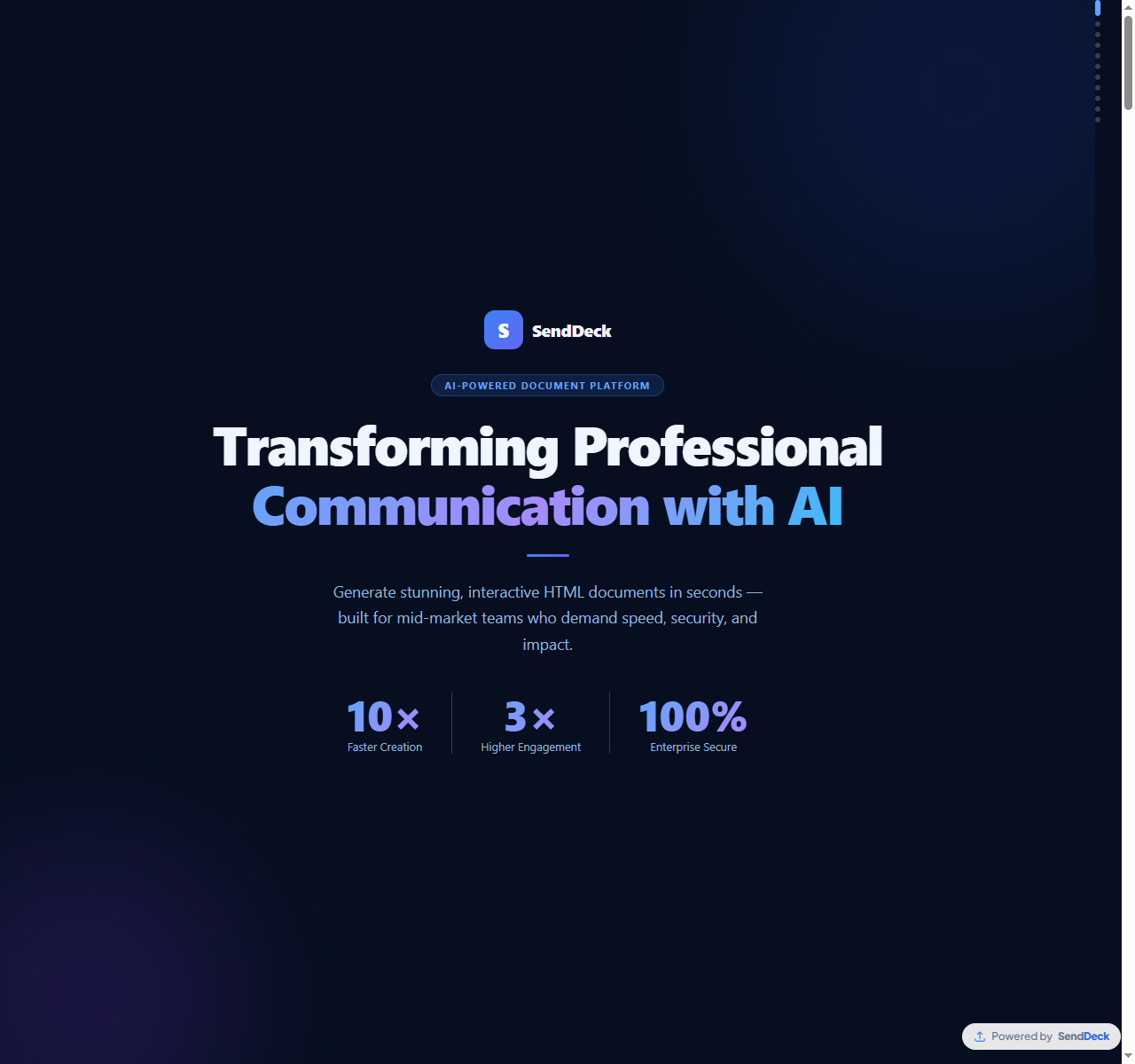
HTML documents can include animated charts, scroll effects, and interactive sections
Embedded media. Video, audio, and interactive data visualizations work natively in HTML. Want to include a 30-second product demo in your pitch deck? In a PDF, you'd paste a screenshot and link to YouTube. In HTML, the video plays inline. The viewer never leaves your document.
Lightweight and fast. HTML documents load progressively — the structure appears instantly, and assets load as needed. A deck that would be 20MB as a PDF might be 500KB as HTML with optimized images. On slow connections, the difference between "loads immediately" and "downloading..." is the difference between engagement and abandonment.
Always current. When you share a link to an HTML document instead of attaching a file, there's only one version. If you update the content, every viewer sees the latest version the next time they open the link. No more "final_v3_REAL_final.pdf" confusion.
"But HTML is hard to share"
This has been the main objection for years, and it used to be valid. If you built a beautiful HTML presentation, what were you supposed to do with it? You could host it as a website, but that means buying a domain, setting up hosting, dealing with SSL certificates — that's an engineering project, not a document sharing workflow.
You could email the HTML file, but most email clients strip JavaScript and break layouts. You could zip it and attach it, but then you're asking the recipient to download, unzip, and open a file in their browser — a terrible experience.
This is exactly the problem that platforms like SendDeck solve. You upload your HTML file (or generate one with AI), and you get a clean URL — something like senddeck.ai/d/q3-report. Recipients click the link and the document loads in their browser, fully interactive, on any device. No downloads, no plugins, no friction.
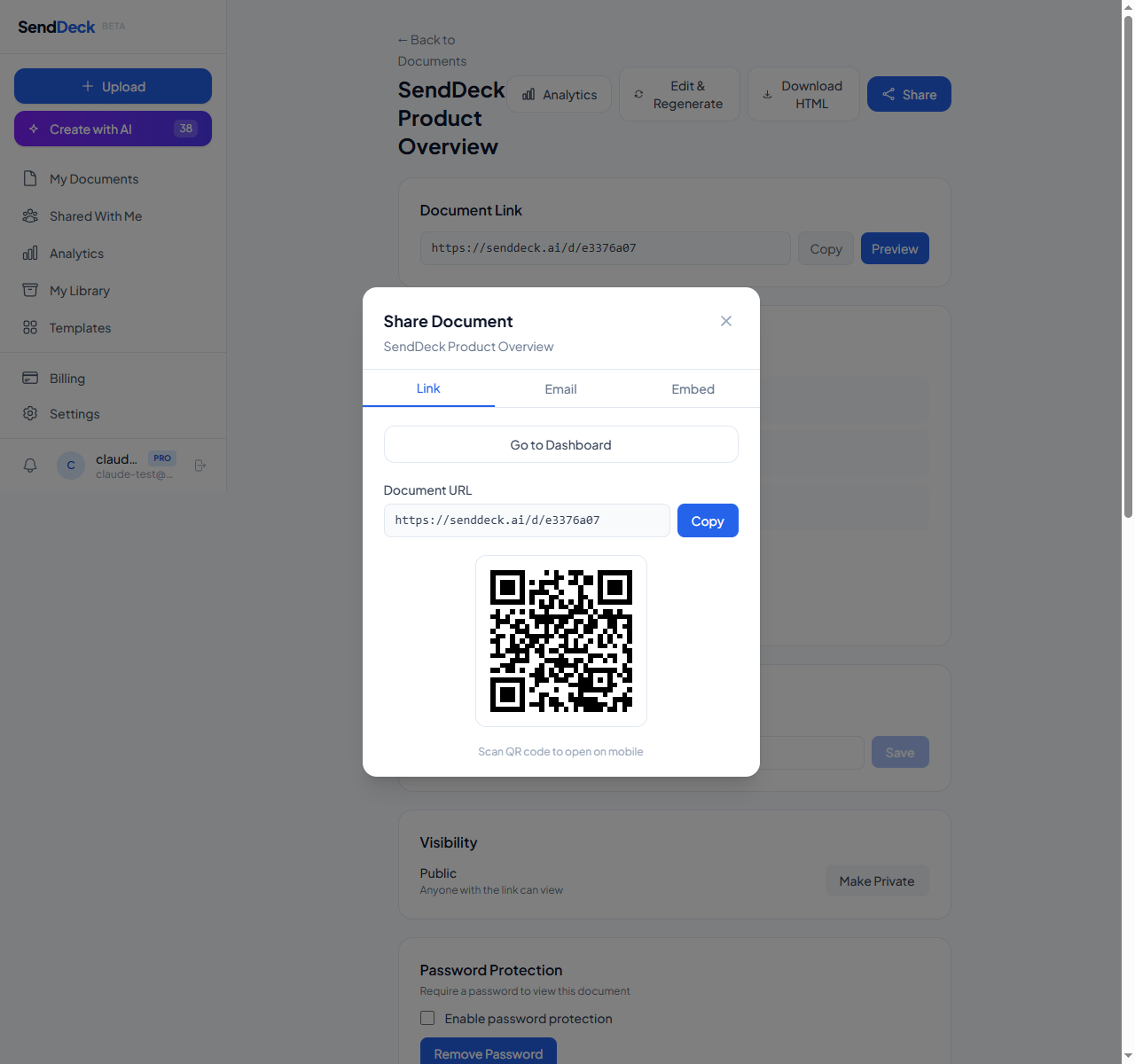
Share any HTML document with a clean, branded URL
Real examples of what interactive decks look like
To make this concrete, here's what's possible when your deck is HTML instead of PDF:
- Animated charts — revenue graphs that draw themselves as the viewer scrolls down, making financial data more engaging and memorable
- Expandable sections — a competitive analysis slide with brief summaries that expand to full detail on click, so you don't overwhelm the viewer upfront
- Keyboard navigation — arrow keys to move between sections with smooth scroll transitions, giving the deck a presentation feel in the browser
- Embedded product demos — inline video that plays within the deck, no redirect to YouTube needed
- Responsive financial tables — data that reformats for mobile screens instead of becoming unreadable tiny text
- Scroll-triggered animations — team photos that fade in, metrics that count up to their values, timelines that build as you scroll
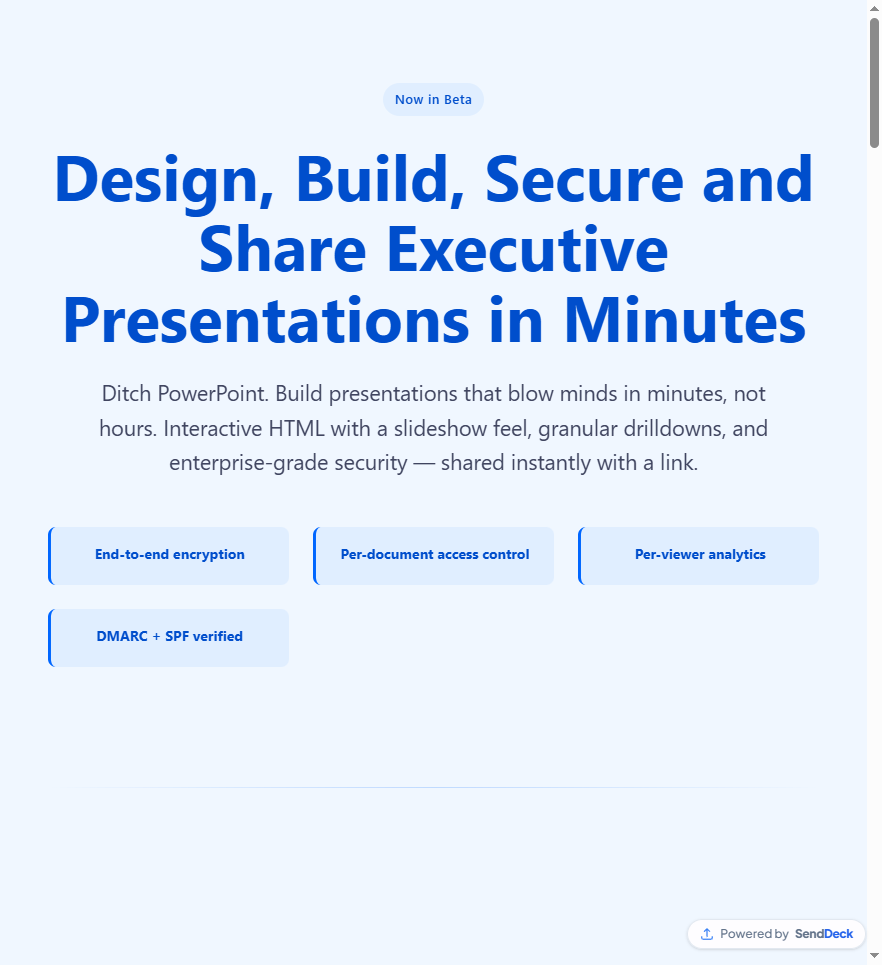
An interactive HTML document viewed in the browser — responsive and engaging on any device
When PDF still wins
HTML isn't better than PDF in every scenario. Being honest about PDF's strengths helps you choose the right format for each situation:
Legal documents. Contracts, NDAs, and regulatory filings need to be printed, signed, and archived in a fixed format. PDF's ability to preserve exact layout across every device and printer is essential here. HTML doesn't guarantee pixel-perfect print output.
E-signatures. The e-signature ecosystem — DocuSign, Adobe Sign, HelloSign — is built around PDFs. If your document needs to be signed, PDF is the path of least resistance. No HTML-based e-signature standard exists yet.
Print and archival. If your document will be printed (board packets, regulatory submissions, physical handouts), PDF is the right choice. It was literally designed for this. HTML prints inconsistently across browsers.
Offline access. PDFs work without an internet connection once downloaded. Link-based HTML documents require connectivity to view (though they can be cached for offline use in some cases).
When HTML wins
For everything that doesn't need to be printed or signed, HTML is the stronger format:
- Pitch decks — first impressions matter, and an interactive deck stands out from the stack of static PDFs an investor reviews that week
- Sales proposals — responsive layouts, embedded demos, and expandable pricing sections make proposals easier to digest
- Reports and presentations — quarterly reports with animated data visualizations tell a more compelling story than static charts
- Marketing materials — case studies, product overviews, and one-pagers benefit from interactivity and responsive design
- Technical documentation — code samples, interactive diagrams, and collapsible sections make complex content navigable
How to get started
If you already have an HTML document — maybe you built one with a web tool, exported from a design tool, or generated one with AI — you can upload it directly to SendDeck and share it in about a minute.
If you don't have an HTML version yet, SendDeck's AI generation pipeline can create one for you. Paste in your source material — notes, outlines, data, even rough bullet points — pick a visual style, and it generates a complete interactive document in minutes. The output includes responsive layouts, visual hierarchy, and interactive elements tailored to your content.
Either way, you get a clean URL, per-viewer analytics (who opened it, when, from what device), and access controls like password protection and link expiry. It's the sharing infrastructure that HTML documents have been missing.
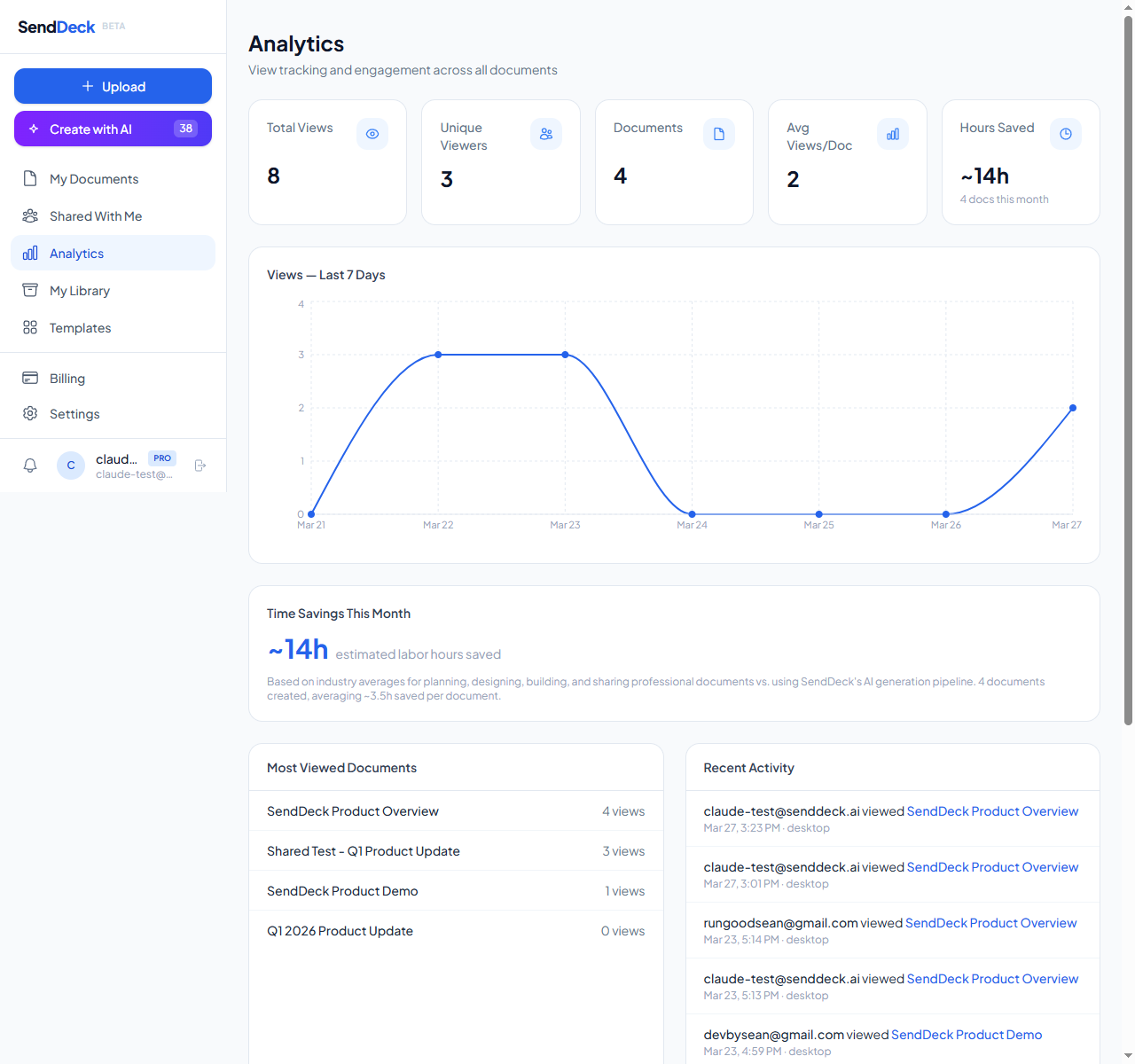
Track every view with per-viewer analytics — who opened it, when, and from what device
The format matters more than you think
When everyone in your industry is sending the same static PDF, an interactive HTML document stands out simply by being different. But it's not just novelty — it's a genuinely better experience for the recipient. Easier to read on any device, more engaging to navigate, and more memorable after they close the tab.
PDFs aren't going away, and they shouldn't. They're the right tool for plenty of jobs. But for pitch decks, proposals, reports, and presentations — documents where engagement and first impressions matter — HTML is the better format. The sharing problem has been solved. It's time to use it.
Try sharing your next pitch deck or proposal as an interactive HTML document. Upload or generate with AI — free to start, no credit card required.
Try SendDeck Free